
Use AI to interpret buyer messages, images, and video
Bring supported customer messages into Alta.DI, use AI to interpret visual content, and reply in the buyer's language. Cases requiring a person can be passed to an external support system through the Human Handoff interface.

Buyer messages arrive across channels, languages, and formats


Messages across multiple channels
Teams may need to check several platforms before they can respond to every buyer.

Time spent reviewing visual content
Photos and videos must be opened and reviewed before the team can understand the buyer's issue.
Language barriers
Agents may need to translate the message before deciding how to respond.
Which customer service tasks should Alta.DI support?
Review the workflows below and identify the ones that match your operating requirements.
Review supported channel messages from one interface
With Alta.DI
Bring messages from supported channels such as LINE, Facebook, Instagram, overseas Shopee stores, and TikTok Shop into one SaaS interface.
Interpret buyer-sent photos and video
With Alta.DI
AI can describe approved visual content and respond within the configured scope.
Respond in the language used by the buyer
With Alta.DI
AI can detect and respond in supported languages. Translation tools can help your team review messages.
Pass defined cases to your existing support process
With Alta.DI
Use the Human Handoff interface to send the case and available context to an external support system for assignment and human follow-up.
Answer recurring product questions
With Alta.DI
AI can answer questions and provide recommendations based on approved product information and FAQs.
Retrieve order and delivery information through supported connections
With Alta.DI
Connect supported commerce systems such as Shopify, SHOPLINE, WooCommerce, or TikTok Shop so configured Agents can retrieve relevant order or delivery data.
Confirm the channels, systems, languages, and support process before the trial.
AI reads buyer-sent photos and videos to save you time

Buyer sends photos or videos
Regardless of which platform the buyer uses to send photos or videos, they all arrive in the same interface. You don't need to switch between different platforms.
AI describes what it sees
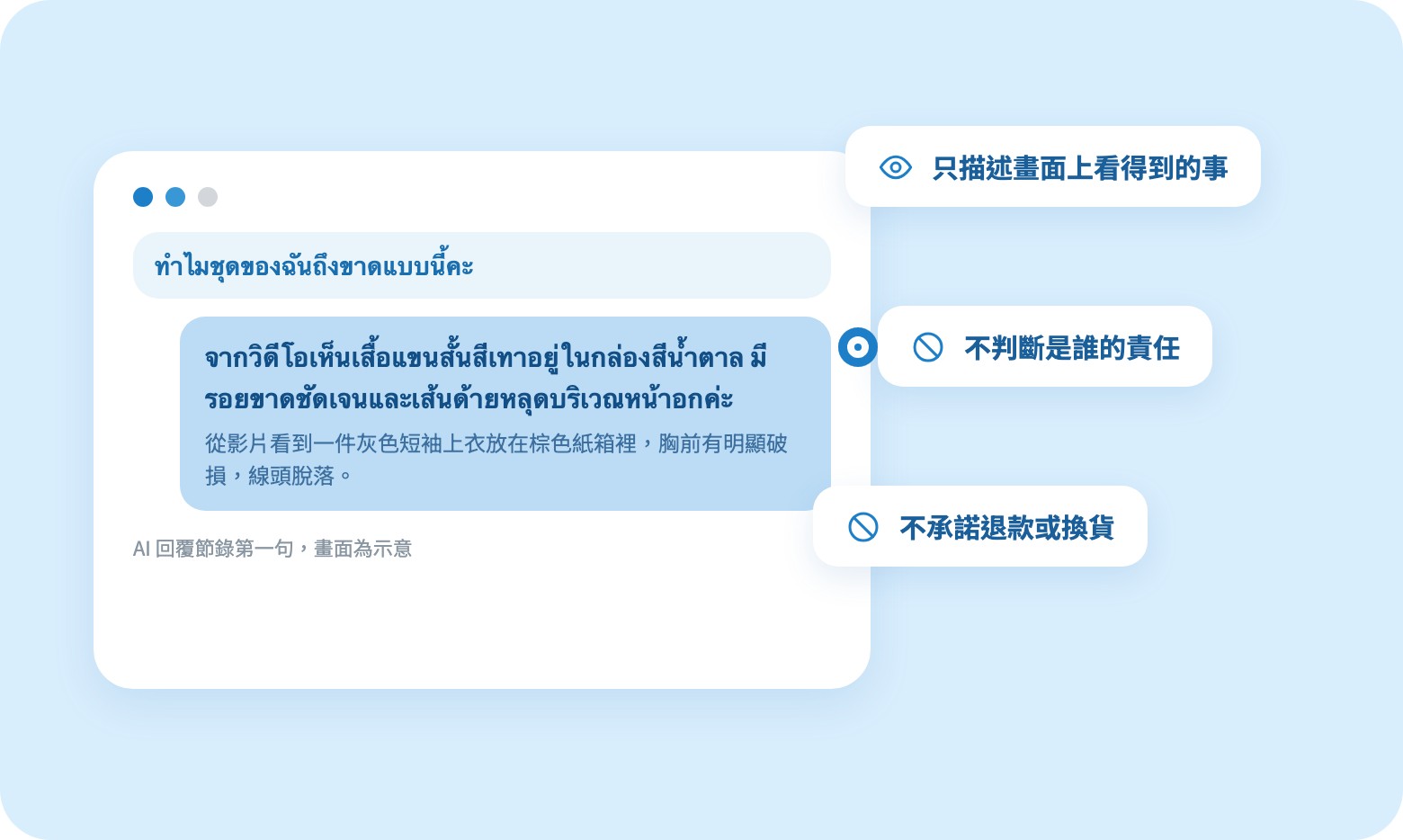
After analyzing a photo or video, the AI describes what it sees in the buyer's language, such as the color, location, or nature of the damage. For example, if a buyer sends a video of a damaged garment, the AI might say, "There is visible damage on the chest area, and threads are coming loose." It only describes the visual content; it does not determine liability or promise refunds or exchanges. You can pre-configure the tone and the scope of what the AI is allowed to answer. Once set up, the AI will respond to buyers directly, so you don't have to approve every single message.
Pass defined cases to an external support system
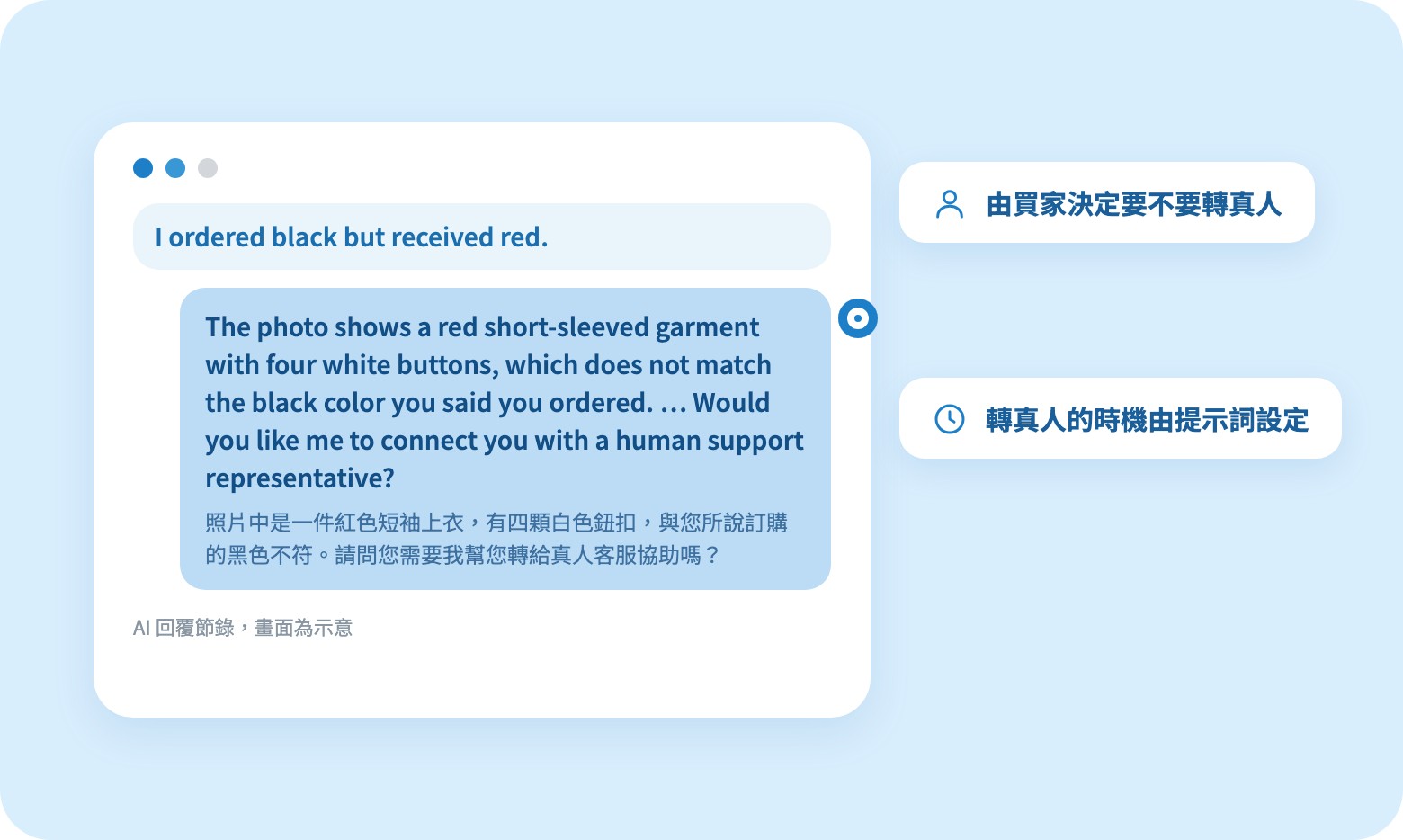
When a buyer requests human assistance or the issue falls outside the configured AI workflow, Alta.DI can send the case and available conversation context to an external support system through the Human Handoff interface. Assignment and human follow-up take place in the connected system.
Quick tip: "View photos" and "View videos" are two separate toggles that must be enabled in the settings first.
AI responds in the buyer's language
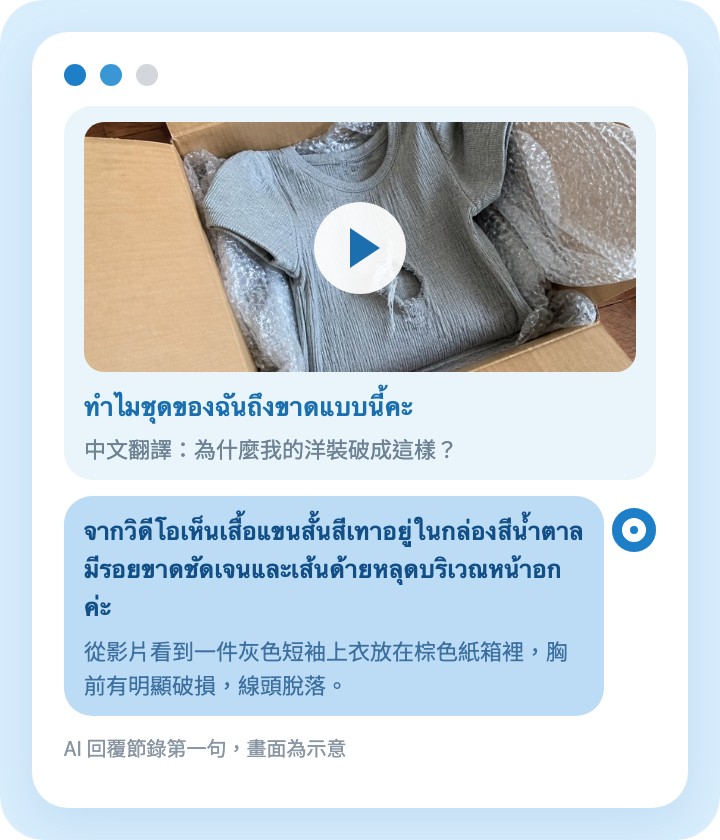
Thai
Buyer sends a video in Thai; AI responds in Thai.

Vietnamese
Buyer sends a photo in Vietnamese; AI responds in Vietnamese.
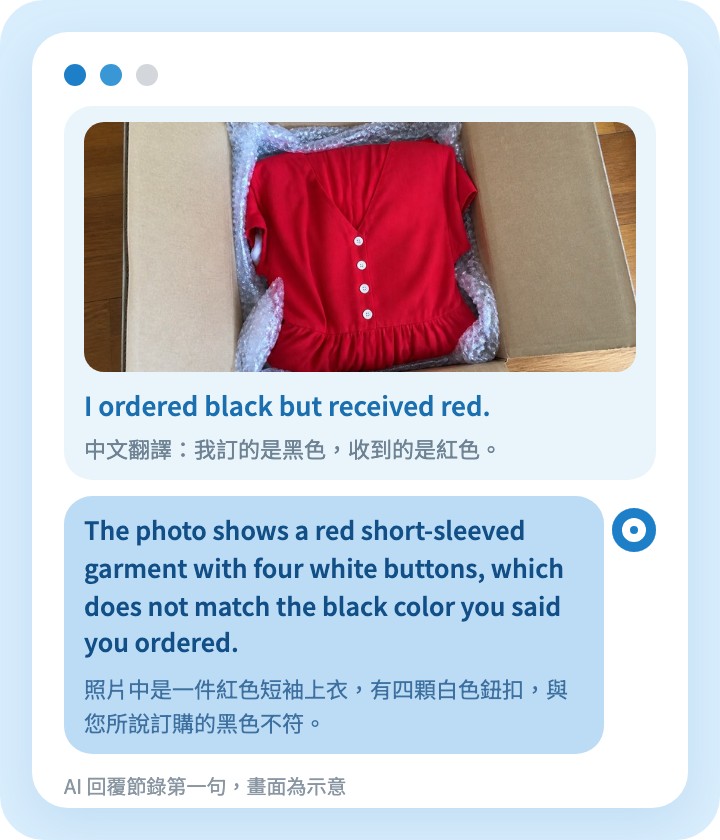
English
Buyer sends a photo in English; AI responds in English.
Test conditions: This test was conducted in the Alta.DI testing interface. The AI response shown in the image includes only the first sentence, and the Chinese translation was added by us. The photos and videos are composite images for illustrative purposes and will not be sent to actual human agents. When testing, use the same language your buyers use.
Wherever your customers are, Alta.DI is there too.
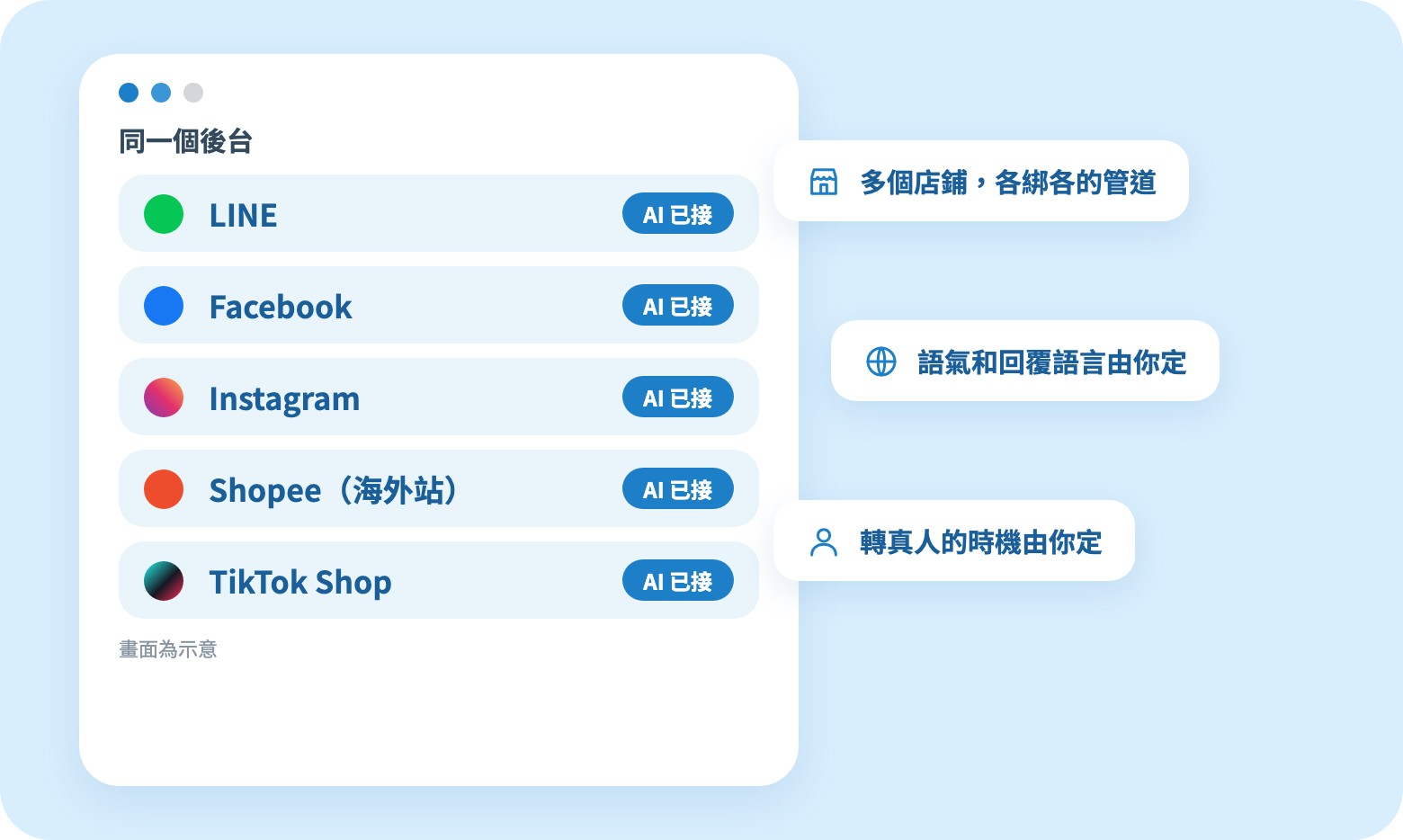
Multiple Platforms, One Dashboard
LINE, Facebook, Instagram, WhatsApp*, Zalo (popular in Vietnam), Shopee (international sites only), TikTok Shop, and your website's live chat—all messages are handled by the same AI first.
*WhatsApp is available on Advanced plans and above. For platforms not listed, we will confirm compatibility with your store after you apply.
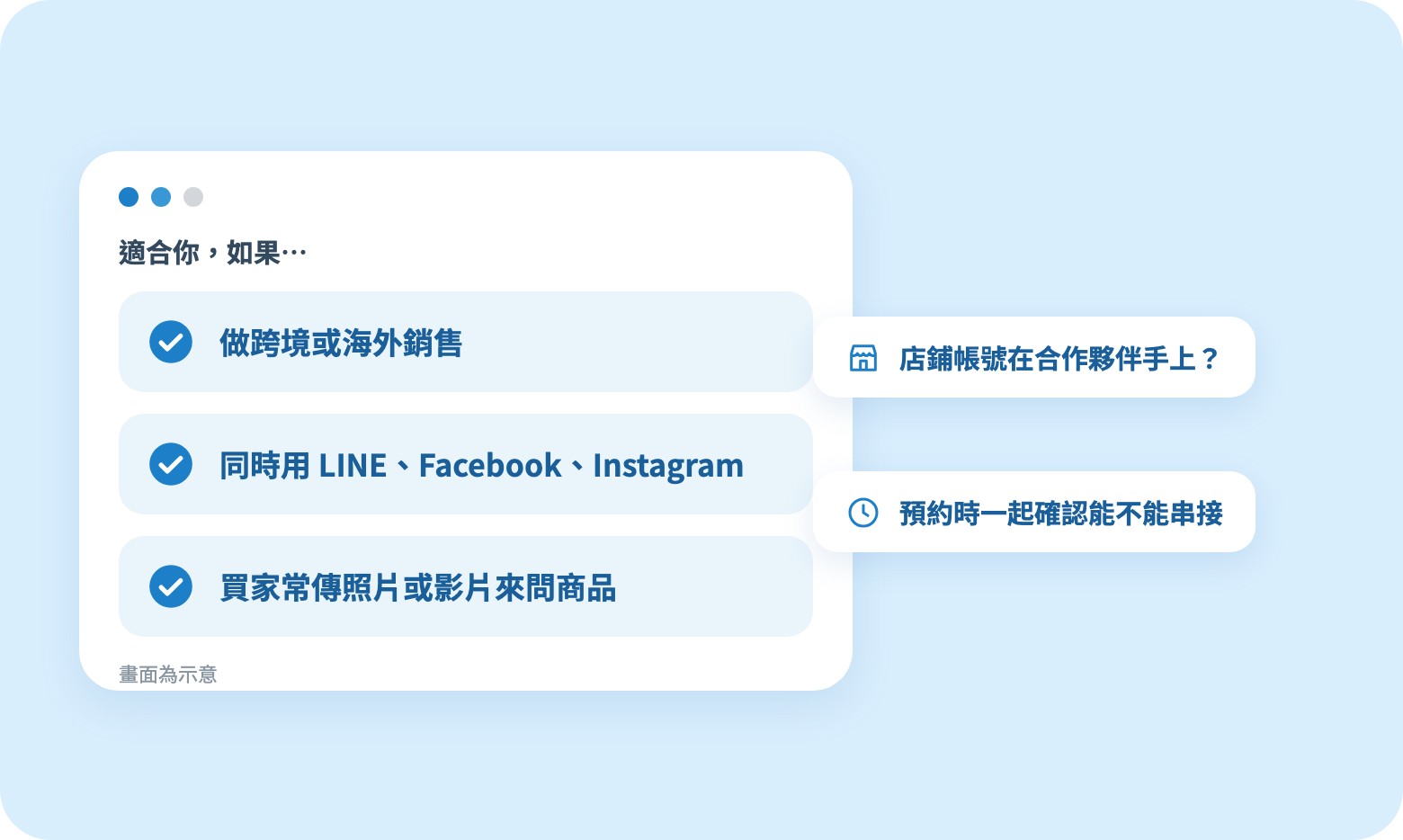
Who is this for?
For cross-border or international sales, customers often send photos or videos to ask about products. We also support TikTok Shop.
What happens after you apply
Submit Your Details
Provide your name, email, store name, current platform, and phone number—it only takes about 30 seconds.

Confirm Compatibility
Our team will contact you within 3 business days to see if your store and customer inquiries are a good match for our service.

Start Trial
If it's a good fit, we'll help connect your store data, set up the AI, and let you test it using your own customer photos or videos.

Applying for a trial does not constitute a purchase. Costs depend on the platform and plan, and quotes are provided by our team.
Programs and selections involving Data-DI
The following entries refer to Data-DI's participation or selection in the named programs. They are not product certifications and do not indicate expected business outcomes.


MarTech Future Star selection
Winner of the 2024 "MarTech Future Star" Product Award from the DMA Association.

TCloud Marketplace
Approved under the "Digital Transformation Strategy for SMEs" program by the Digital Industries Administration, Ministry of Digital Affairs.

Startup Selection
Selected for the "Digital X Net-Zero Transformation Application Service" by the Small and Medium Enterprise and Startup Administration, Ministry of Economic Affairs.

SME AI Platform
Approved and listed under the SME AI Platform Cloud Service Program by the Small and Medium Enterprise and Startup Administration, Ministry of Economic Affairs.
Questions to review before a trial
Frequently asked questions about image analysis, languages, and pricing.
What if the AI makes a mistake?

Visual interpretation can be incomplete or incorrect. Use your own examples during the trial, define what the AI may answer, and send cases outside that scope to your external support process.
What if buyers use different languages?
We tested Thai, Vietnamese, and English this time. The AI will reply in the language of the buyer's most recent message. You can test the trial using the same languages your buyers use.
Are there extra charges for image and video analysis?
Plans start at NT$9,980 per month (tax excluded), with image and video analysis billed based on usage. During the trial, we use a test environment to check image analysis, so it won't cost you anything. Our team will provide a detailed quote.
Who sets up the AI for me after the trial?
During the trial, we handle the store connection and setup for you. Once you officially start, training and basic AI configuration are included in the Advanced plan and above, and can be added to the Growth plan. If you need a consultant to help plan your conversation flows, you can purchase additional consulting services (already included in the Enterprise plan).
Apply for a Free Trial
It takes about 30 seconds to fill out. After you submit, our team will contact you within 3 business days to see if your store is a good fit. We handle your data in accordance with our privacy policy.