


The core functions of an AI customer service system are automatic replies and inquiry classification, sentiment analysis and intent tagging, omnichannel message integration, RAG knowledge base lookup, and handoff between AI and human agents. Modern AI customer service is an AI Agent that identifies customer intent, analyzes emotional state, and triggers the matching action, helping businesses lower service costs while improving conversion rates and customer satisfaction.
At 10 a.m. on Monday, you open the back office to review last week's report. Traffic is up 15% from last month, yet revenue is down. In the chat logs, you find twenty-some messages sent in the middle of the weekend nights asking "Is this in stock?" Every one received the same reply: "We'll respond during business hours." One thought comes to mind: "Customers came all the way to the door, and we never opened it."
This gap is real, and it is raising the bar for AI customer service selection in 2026. According to Gartner's forecast [1], 40% of enterprise applications will include task-specific AI agents by 2026, up from less than 5% a year earlier. A MarketsAndMarkets report [2] estimates that the global AI customer service market will grow from US$12.06 billion in 2024 to US$47.82 billion in 2030, a compound annual growth rate of 25.8%. Simple auto-replies are no longer enough. Businesses need an AI customer service system that identifies intent accurately, analyzes sentiment, and can be checked against business metrics.
Alta.DI is designed for this bar. Unlike a traditional chatbot, it combines an AI Agent with RAG (retrieval-augmented generation) and uses more than 20 emotion labels to help you identify high-value customers among large volumes of conversations. While you evaluate options, a consultant designs the workflow together with you, rather than handing over the system and leaving.
Six core functions of an AI customer service system at a glance
Before you buy an AI customer service system, check the function list first. The capability gaps between systems often hide in these few items.
These six functions are the baseline for judging whether an AI customer service system is sufficient. Next, we go through the five specific scenarios businesses search for most often when buying, and look at how Alta.DI handles each.
Which metrics should you evaluate before adopting smart customer service? A checklist from five real scenarios
"Which metrics to evaluate before adopting smart customer service" is a frequently searched question on Google in 2026, but most checklists offer abstract terms such as "AI accuracy" and "go-live speed." The five criteria below map directly to purchasing questions that Taiwan brands actually ask, and each comes with a verifiable test and a scenario.
Which smart customer service tool offers more complete tracking of customer conversation history?
Tracking customer conversation history comes down to one idea: no matter which channel a customer arrives from, you can pull up the full interaction history. There are two tests. First, can conversations from LINE, IG, email, Messenger, and WhatsApp be merged into a single customer profile? Second, when a customer switches channels, is Full Context kept, so the next agent does not have to ask "Have you contacted us before?"
That very question, "Have you contacted us before?", is a sign the customer is about to leave. At 4 p.m. on Wednesday, a screenshot arrives in the customer service group chat. A customer asked about sizing on LINE, said "I'll go ask on IG," and then asked the same thing again on IG, because the two records were not connected. What you think at that moment: "Customers do not want to explain things a second time, and we just made this one do exactly that."
Alta.DI uses the One-Platform single back office to merge all channels into one customer profile. When an agent switches platforms, they see the full conversation thread rather than fragments. For the full omnichannel design steps, see 5-step guide to omnichannel integration (OMO).
Which company's AI customer service product integrates better for checking order status?
What decides integration quality for order status lookup is native connection to the e-commerce platform, as opposed to custom API development. Native connection goes live faster and costs less to maintain; custom development needs engineers, which stretches both the timeline and the cost. Alta.DI natively supports three major platforms: Shopify, Shopline, and WooCommerce. Order status syncs automatically to the customer service back office, and when a customer asks, the AI replies directly with the order progress and tracking number, with no need to hand the case to a human agent to look it up.
My website has traffic but no orders. Which AI customer service tools can raise the conversion rate?
Traffic without orders usually breaks at three points: no one answers outside business hours, pre-purchase signals go unrecognized, and no one reaches out proactively when a customer hesitates. An AI customer service tool's contribution to conversion depends on whether it can catch all three. The table below compares a traditional chatbot and the Alta.DI AI Agent in the same situations:
To compare the trade-offs in architecture and adoption cost between a script-only chatbot and an AI Agent, start with How AI customer service differs from ChatGPT.
We sell 3C electronics with lots of technical questions. Which AI customer service suits us?
For 3C and spec-heavy products, the costliest mistake is a wrong compatibility answer that ends in a return and a refund. The test is whether the AI has a RAG (retrieval-augmented generation) architecture and can answer strictly from the spec sheets you upload, rather than guessing from training memory.
At 9 p.m. on Saturday, you are answering customer messages yourself. A customer posts three screenshots of phone settings and asks why their Bluetooth earbuds will not connect. It takes you five minutes of searching the PDF spec sheet to find the compatibility list. What you think at that moment: "It takes me five minutes to find the answer in my own product manual. How could customer service possibly reply instantly?" At the following week's morning meeting, you find that the same compatibility question was answered three different ways by three different temp staff, and a one-star review, a return, and a refund all follow.
Alta.DI uses RAG. You upload your internal PDF, Excel, or CSV files to thesmart knowledge base, and the AI answers strictly from that data. The same compatibility question will not get three different answers, and temp staff will not reply from vague memory. For a real adoption case, see RAG and knowledge base application examples.
We have several brands that need different customer service styles. Which AI system is more flexible?
The biggest pain for multi-brand groups is that three brands run three separate customer service systems: tones step on each other, reports have to be merged by hand, and complaint ratios cannot be compared across brands. The tests are whether one back office can manage multiple brand personas, and whether permissions and data can be separated and rolled up at the same time.
At 11 a.m. on Tuesday, you find that customer service for Brand A (young women's fashion) used a canned reply from Brand B (men's business wear), and the tone sounds like addressing a board meeting. A customer posts a screenshot on Threads: "Did this brand get acquired?" What you think at that moment is simple: "One wrong tone and the whole brand persona falls apart."
Alta.DI supports managing multiple brand personas in one back office. Each brand can set the following independently:
Previously, it took half a working day each month to log in to three back offices and merge reports by hand. With a unified interface, a question in a quarterly review such as "Where do Brand A and Brand C differ in complaint ratio?" can be answered by applying a filter directly, without first spending time aligning each brand's tag definitions.
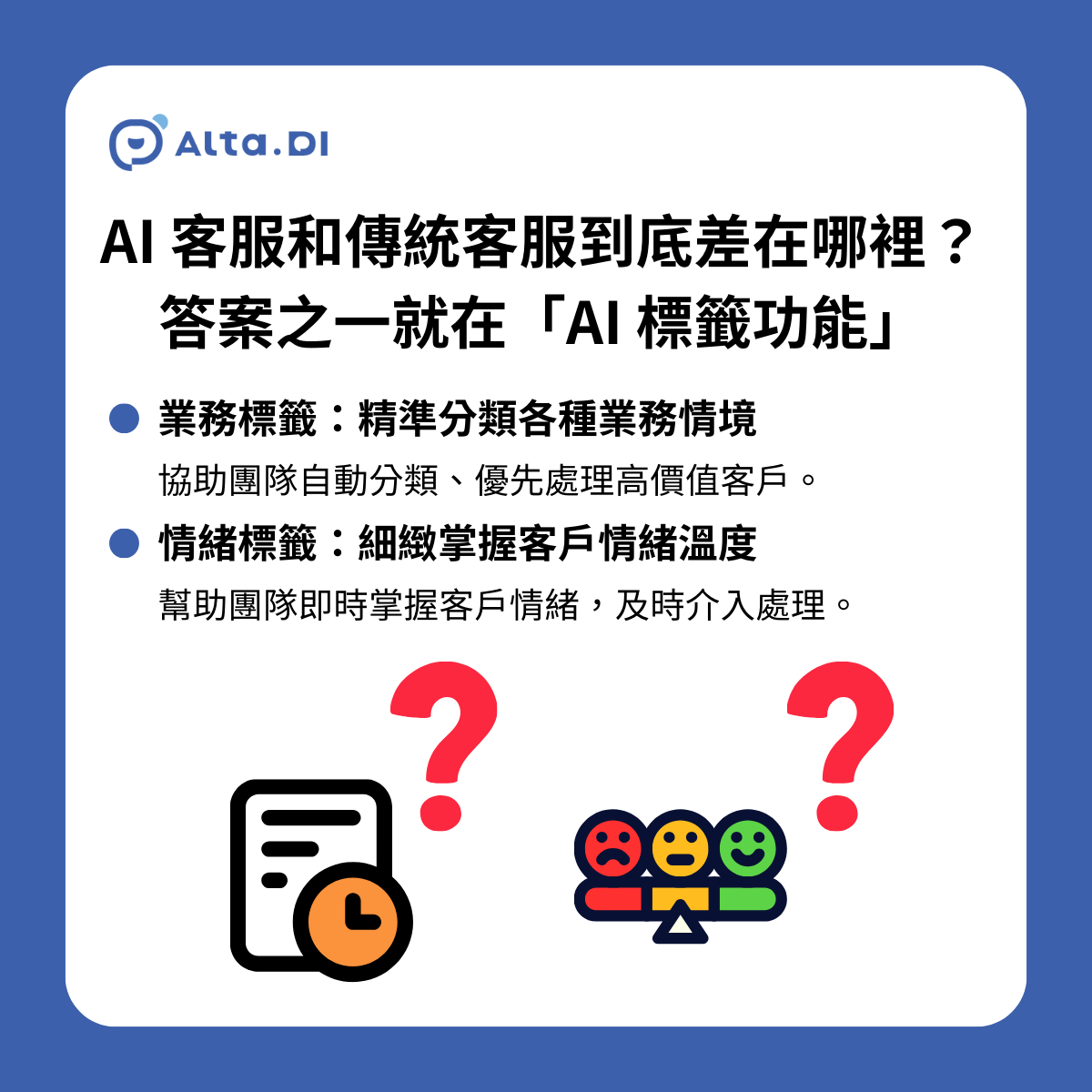
Alta.DI dual AI tags: how do conversations become usable business signals?
Alta.DI's tag system has two layers: business tags and emotion tags. Business tags classify conversations, and emotion tags detect emotional peaks. Used together, they can lower the complaint rate and raise the conversion rate at the same time. Neither layer is enough alone: splitting only into positive and negative mixes up "complaint" and "confusion," and splitting only by business category misses the moment a customer hesitates before buying.
1. Business tags: the back office moves from manual case hunting to system sorting
Business tags are business categories applied automatically based on conversation content, so the customer service back office no longer relies on people scrolling through conversations to find important cases. Alta.DI can apply the matching tag in real time based on what is said:
The customer service team no longer has to dig out cases by hand and can go straight to urgent "refund" or "quotation" cases, focusing people on the conversations that truly need judgment. Before, ahead of an end-of-month management meeting, a manager might ask "Which customers last month showed purchase intent but did not buy?", and the team could need half a working day to scroll through conversations and pull tags to answer. With business tags, the same question is answered by applying a filter in the back office to list them, and the meeting can move straight to "how do we follow up with these customers" instead of "wait while I pull the data."
2. Emotion tags: sorting by whether to teach or to compensate
Emotion tags mark fine-grained emotions in a conversation (anger, disappointment, desire, confusion, and so on) on their own, so the system can trigger different actions based on emotional peaks. Alta.DI identifies more than 20 emotional states, mapped to two very different action strategies:
💡 Knowing whether a customer is confused or angry decides whether you should offer teaching or compensation. This is the most basic difference between emotion tags and typical AI customer service features.
Picking an Agent does not make it work: why will 40% of projects be canceled?
Choosing the right tool does not secure an Agent adoption. Another Gartner report states [3] that more than 40% of agentic AI projects will be canceled by the end of 2027, mainly for three reasons: escalating costs, unclear business value, and inadequate risk controls. An Alta.DI adoption does not end at go-live. Before adoption, consultants work alongside you to define three things:
The tool itself will not help you avoid that 40% cancellation rate. Designing the process around these three things will.
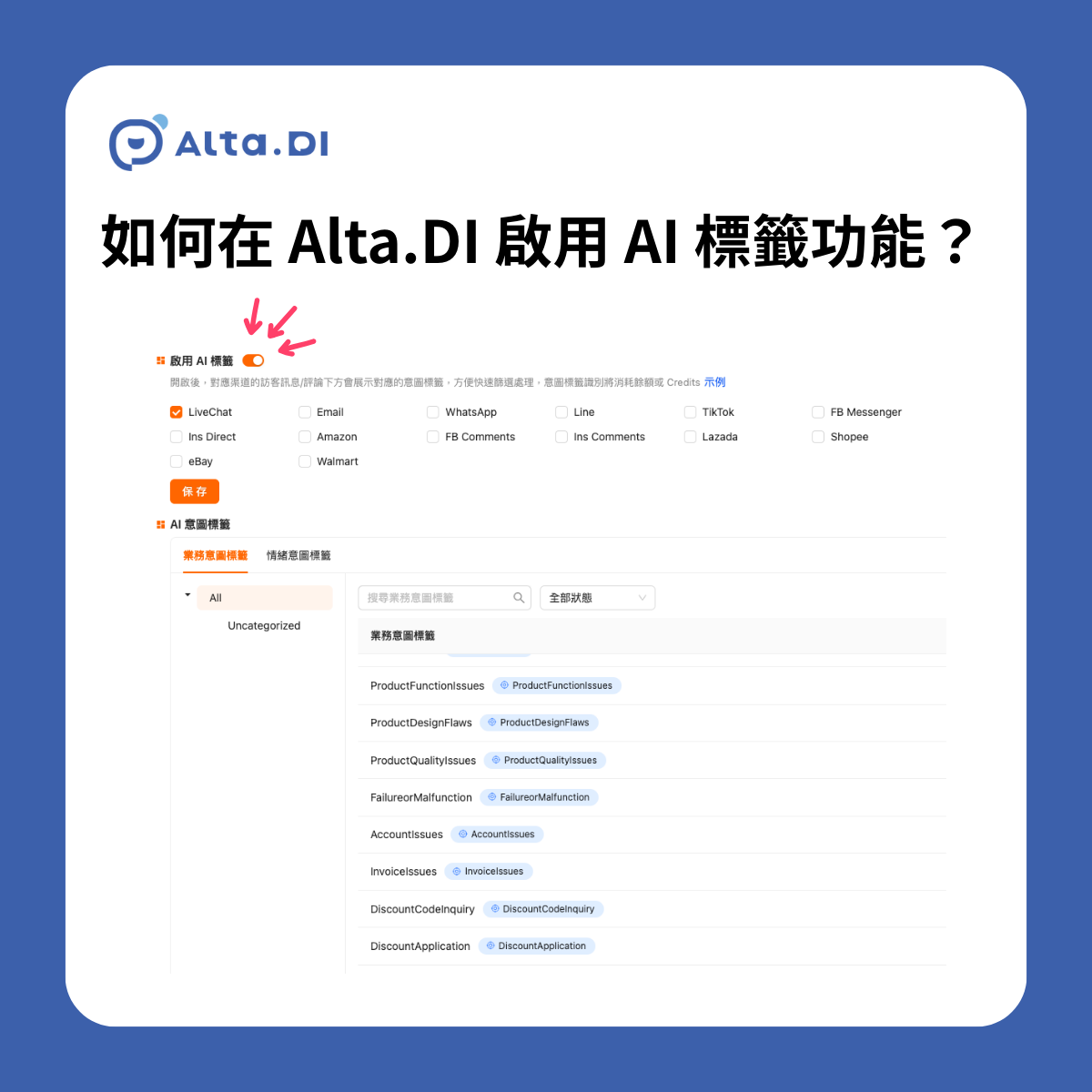
How do you enable the AI tag feature?
- Go to Settings > AI Tags and enable the AI tag feature. You can turn it on or off for specific business or emotion intents.
- Under AI Bot > Bot Settings, turn on "Smart Q&A & Product Recommendations" and add an AI intent trigger.
- Select the tag categories that need human involvement (for example, product comparison or complaints) and set them to hand off to a human agent automatically.
- Custom AI tag rules are supported. You can filter and track them under "Chat & Comments" to keep an eye on conversation quality and volume.
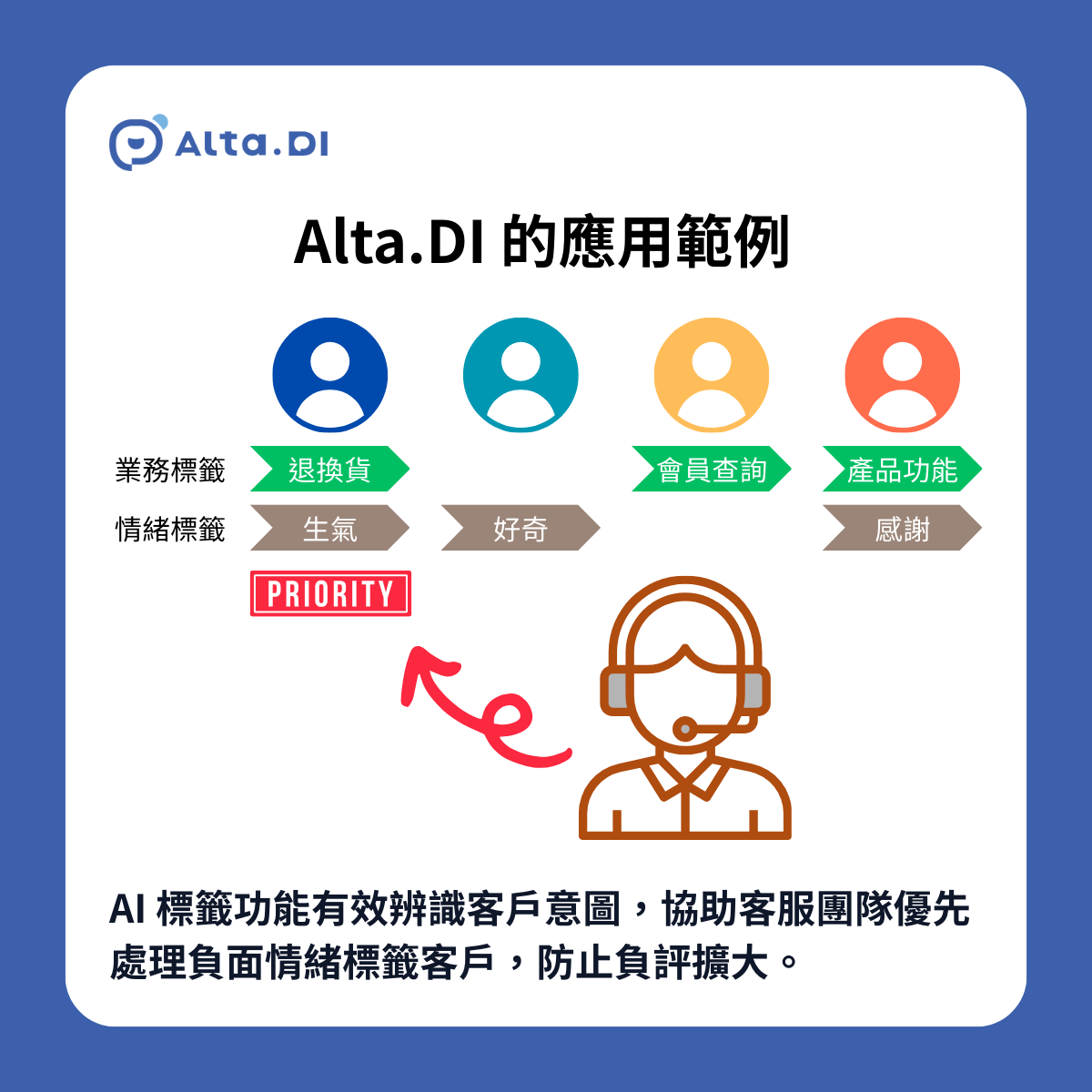
How Alta.DI is applied in different industries
Alta.DI's dual AI tags and omnichannel integration are used to solve different pain points in different industries. During adoption, consultants help you align "which conversations go to AI, which go to humans, and which tag triggers which SOP" with your own workflow.
For quantified results from actual adoption, see the Alta.DI case articles by industry.
How long does Alta.DI adoption usually take, and what data do you need to prepare?
Before you click "Book a diagnostic," here are the three questions we are asked most often, so you can first judge whether it is worth starting internal discussions:
If you are not sure which scenario your brand falls into, you can start with a diagnostic meeting using one week of your own real conversation samples. We will demonstrate on the spot how tags are split and which conversations should stay with humans.
Conclusion: choosing AI customer service means choosing a process
In 2026, AI customer service is no longer a question of whether to adopt it. The question is whether, after adoption, it actually catches the high-value conversations. Tool features will gradually converge, and what separates one deployment from another is the process: which conversations your brand hands to AI, which stay with humans, who corrects the AI when it makes a mistake, and how business tags map to your KPIs. None of this appears automatically by ticking boxes on a feature list.
Alta.DI is a no-code platform, and consultants work alongside you to design these processes together and keep tuning them after adoption. Rather than letting your team drown in repetitive messages, let Alta.DI filter out the noise so your effort goes to the customers who matter most.
Ready to turn conversations into revenue? 👉 Book an Alta.DI consultant diagnostic. We will use your own conversation samples to work out with you how tags should be set and how the process should run.
References

[1] Gartner. (2025.08). Gartner Predicts 40% of Enterprise Apps Will Feature Task-Specific AI Agents by 2026, Up from Less Than 5% in 2025. Gartner Newsroom.
https://www.gartner.com/en/newsroom/press-releases/2025-08-26-gartner-predicts-40-percent-of-enterprise-apps-will-feature-task-specific-ai-agents-by-2026-up-from-less-than-5-percent-in-2025
[2] MarketsAndMarkets. (2025.02). AI for Customer Service Market by Product Type — Global Forecast to 2030. MarketsAndMarkets.
https://www.marketsandmarkets.com/Market-Reports/ai-for-customer-service-market-244430169.html
[3] Gartner. (2025.06). Gartner Predicts Over 40% of Agentic AI Projects Will Be Canceled by End of 2027. Gartner Newsroom.
https://www.gartner.com/en/newsroom/press-releases/2025-06-25-gartner-predicts-over-40-percent-of-agentic-ai-projects-will-be-canceled-by-end-of-2027
FAQ
FAQs about this article
Which smart customer service tool offers more complete tracking of customer conversation history?

Alta.DI uses the One-Platform single back office to bring LINE, IG, email, and other channels together. Agents see the customer's full interaction history in one window, so customers do not have to describe their problem again.
Which company's AI customer service product integrates better for checking order status?
Alta.DI supports Shopify, Shopline, and WooCommerce connections. Order status syncs automatically to the customer service back office, and the AI replies directly with order progress when a customer asks, with no need to pass the case to a human agent to look it up.
My website has traffic but no orders. Which AI customer service tools can raise the conversion rate?
Alta.DI emotion tags detect pre-purchase signals such as desire and hesitation, then send a limited-time offer automatically or hand off to a human agent, so high-intent messages in the middle of a weekend night are still caught.
We have several brands that need different customer service styles. Which AI system is more flexible?
Alta.DI supports managing multiple brand personas in one back office. Each brand can have its own tone and business tag rules, which avoids a women's fashion brand replying in a men's business-wear voice.
We sell 3C electronics with lots of technical questions. Which AI customer service suits us?
Alta.DI uses RAG to answer compatibility questions strictly from the spec sheets you upload. The same compatibility question will not get three different answers, and temp staff will not reply from vague memory.
More articles


訂閱我們的電子報
每月 8 日定期發送最新趨勢與實用資訊!